Follow along with the video below to see how to install our site as a web app on your home screen.
Note: This feature may not be available in some browsers.
We value your experience with Plesk during 2025 Plesk strives to perform even better in 2026. To help us improve further, please answer a few questions about your experience with Plesk Obsidian 2025. Please take this short survey: https://survey.webpros.com/
Hi, I've just discovered that my server makes a backup that I didn't scheduled and it takes a lot of space on the disk.
I would know how to disable this backup or at least delete them from plesk Interface (I can delete them only trough CLI).
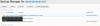
I'll assume this screenshot is not from Tools & Settings > Backup Manager
If you create a server-level backup, you cannot delete it from other Backup Manager pages belongs to other subscriptions even if you're an administrator.
If you want a clear view of what scheduled backups are activated or disabled, install this extension by Plesk:
Extensions > Scheduled Backups List > Install
I was facing the exact same problem but couldn't figure out where it was hiding. Did a quick search and came across this thread - This solution solved it for me too. Thanks for the tip!