Follow along with the video below to see how to install our site as a web app on your home screen.
Note: This feature may not be available in some browsers.
We value your experience with Plesk during 2025 Plesk strives to perform even better in 2026. To help us improve further, please answer a few questions about your experience with Plesk Obsidian 2025. Please take this short survey: https://survey.webpros.com/
I discovered today the new backup format of plesk.
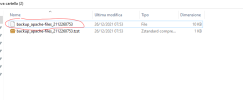
I have downloaded my backup files, extract them with 7z-ZS or Peazip but the file/folder decompressed is not possible to open.
How can I access at the file below?
Hello, In the last days every backup I downloaded im receiving a big tar files with files .tzst I dont know why, but I cant open a backup in my local server its not recognize the tzst, What should I do ? thank you and have a good day!
Thank you Igor, the problem was that after the decompression, the file had not any extension.
To solve the problem and gain access to the files, it is necessary to add a .tar extension. I hope it will usefull.