• We value your experience with Plesk during 2025
    Plesk strives to perform even better in 2026. To help us improve further, please answer a few questions about your experience with Plesk Obsidian 2025.
    Please take this short survey:

    https://survey.webpros.com/

Issue CGroup Process manager

B4c4rd1

Regular Pleskian
Hi,

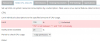
I have the problem that I can not enter more than 100 with the limitation of the CPU value. My system has 8 threads.

How can I enter a higher value?

upload_2017-2-28_12-58-2.png
 
Hi B4c4rd1,

pls. don't get this wrong: What happens when you try to enter MORE water in a glas, even when it's already filled up completely? Correct answer will be: The excess water flows past the glass.
You can't use more than 100%, because 100% is the technical maximum. ;)
 
Last edited by a moderator:
Hi @UFHH01,

The documentation of plesk states the following: The CPU capacity is specified in percent, and 100% of CPU limit is one core fully used. Correspondingly, 200% is two cores fully used, and so on.

My tests have shown that actually only one core is fully utilized when I enter 100%.

My CPU Set has 4 Cores with 8 threads.
 
I have forwarded this issue to developers for the further investigation. Will keep this thread updated.
 
I found a next issue.

If I once entered a value on disk read and disk write, it remains stored even when i go back to unlimitiert.

Test it:
insert the Limit 50MB -> save.

Make sure the cache is cleared (On root shell):
Code:
echo 3 | sudo tee /proc/sys/vm/drop_caches

Check with the following command (On limited user shell):
Code:
dd if=tempfile of=/dev/null bs=1M count=1024

With Limit:
upload_2017-3-1_17-43-6.png

Without limit ( Unlimited checkbox)
upload_2017-3-1_17-44-31.png

Can someone confirm this issue? Or should I open my own thread for it?
 
Regarding initial issue - bug was confirmed and submitted as PPP-28283.
 
Back
Top