Follow along with the video below to see how to install our site as a web app on your home screen.
Note: This feature may not be available in some browsers.
We value your experience with Plesk during 2025 Plesk strives to perform even better in 2026. To help us improve further, please answer a few questions about your experience with Plesk Obsidian 2025. Please take this short survey: https://survey.webpros.com/
HI
I would like to activate PEAR on my windows server but I can't find the file at this location "go-pear.bat" C:\Program Files (x86)\Plesk\Additional\PleskPHP72.
what to do ?
hi,
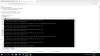
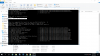
I solved this problem but please find attached the error I encounter during the installation. I am asked for the path of the PHP.exe file.
what to do ?