• We value your experience with Plesk during 2025
    Plesk strives to perform even better in 2026. To help us improve further, please answer a few questions about your experience with Plesk Obsidian 2025.
    Please take this short survey:

    https://survey.webpros.com/

how to edit border width of table in "text & image" module ?

kiko buddy

New Pleskian
hi all ,
I'm new here.
I'm try to modify border after I'm create a table in "text & image" area .
I can't find any setting about "border width"
I remember that it is easy to edit in sitebuilder 4.5 .(I'm using 11.5 now)

any idea?
 
oh ! thanks for reply!

yes! i got it but not work .

My step :

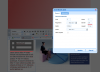
1. click "insert / modify table" button to create a table . (AT that time, i can edit border width of couse)step_1.png

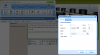
2. when i want to modify the same table a again . i choose the table , then click "insert / modify table" button .step_2.png

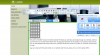
3. that menu show new value only , not my table value. step_3.png

4. I can't see " update "button at menu . it always show" insert"

sorry ,is something wrong ?
 
hi IgorG ,

Finally , i see the "update" button and edit border width when i using FireFox or Chrome .
it is not work in Internet Explorer 11 only . IE11 seems to be problem ^^ ..
 
Back
Top