
 Facebook
 Twitter
Edi Duluman
Basic Pleskian
Hello!
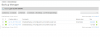
I have this backup running for a few days now. Tried looking for it in the psa database... (taskId: 89), tried killing the progress given by ps aux | grep backup or ps aux | grep gzip but everytime I run this command, I get a different PID always incrementing itself.
1. Tried restarting the server... it is still there.
2. Tried looking for any taskId: 89 in the psa DB... nothing found.
3. Tried killing all processes, PID always increments itself.
4. Tried looking for others with the same issue, found 3 threads, no solution in their's either.
5. Tried cleaning up the BACKUP_DUMP_TMP path ( can't recall the exact name ) it's some temporary directory for files.
6. Tried another browser ( thought it might be in a cookie or something ), still nope.
7. Tried removing all existing backups, successfully removed them, backup job still there.
The original backup was on a LAN FTP server. I guess it tried downloading the 15GB and.. somehow got stuck ? Other restoration actions work just fine.
How can I get rid of this ? It's just annoying. Everything works fine... this one just sticks there.
I have this backup running for a few days now. Tried looking for it in the psa database... (taskId: 89), tried killing the progress given by ps aux | grep backup or ps aux | grep gzip but everytime I run this command, I get a different PID always incrementing itself.
1. Tried restarting the server... it is still there.
2. Tried looking for any taskId: 89 in the psa DB... nothing found.
3. Tried killing all processes, PID always increments itself.
4. Tried looking for others with the same issue, found 3 threads, no solution in their's either.
5. Tried cleaning up the BACKUP_DUMP_TMP path ( can't recall the exact name ) it's some temporary directory for files.
6. Tried another browser ( thought it might be in a cookie or something ), still nope.
7. Tried removing all existing backups, successfully removed them, backup job still there.
The original backup was on a LAN FTP server. I guess it tried downloading the 15GB and.. somehow got stuck ? Other restoration actions work just fine.
How can I get rid of this ? It's just annoying. Everything works fine... this one just sticks there.


