• We value your experience with Plesk during 2025
    Plesk strives to perform even better in 2026. To help us improve further, please answer a few questions about your experience with Plesk Obsidian 2025.
    Please take this short survey:

    https://survey.webpros.com/

nginx options missing

fruf

Basic Pleskian
Hi,

I'm running a debian 6 server with PHP Version 5.3.28, I've just upgraded from 11.0.9 to 11.5.30, enabled PHP-FPM but can't find the setting to enable it in the server settings. What am I doing wrong?

44543.JPG

34534.JPG
 
of course I did. Here's what's in the doc:

To be able to use this handler, install the support for PHP-FPM through Tools & Settings > Updates and Upgrades > Add/Remove components > Plesk hosting features > nginx web server and reverse proxy support > PHP-FPM support for nginx. done, nginx services is running

Go to Websites & Domains > <domain_name> > Web Server Settings page and turn on the option Process PHP by nginx.

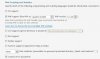
This is how my web server settings page looks like, no sign of nginx:

55453.JPG

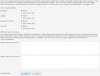
As shown in my first post, there's no option for nginx on the hosting page eihter, where you can set the PHP parameters
 
Hmm... I cant reproduce it on my test Plesk server. Do you really have php-fpm package installed on this server? Have you tried create new service plan and corresponding subscription for testing?
 
It should work, I've installed nginx through /autoinstaller, there where no problems detected and it seems it's there:

65446548.JPG

76546456.JPG

Tried to add a new service plan but there's no ngnix option in it either
 
Check that nginx support is enabled:

# /usr/local/psa/admin/bin/nginxmng --status
Enabled
 
Thanks for your help, that did it! I don't know why the option was not visible. Am I correct that now on every site on the server nginx is enabled?
 
Back
Top