Follow along with the video below to see how to install our site as a web app on your home screen.
Note: This feature may not be available in some browsers.
We value your experience with Plesk during 2025 Plesk strives to perform even better in 2026. To help us improve further, please answer a few questions about your experience with Plesk Obsidian 2025. Please take this short survey: https://survey.webpros.com/
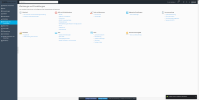
You seem to not be logged in as "admin", but as an "add-on" administrator and that account seems to have "Restricted Mode" checkd. Maybe the view of additional admin accounts is limited by "Restricted Mode Settings" that can be set by the "admin" account? So you need to either ask "admin" to enable the other menus for you or you can login as "admin" and set it yourself in Tools & Settings > Plesk > Restricted Mode Settings or you can uncheck the "Restricted Mode" checkbox in the additional admin account.
Nein ich logge mich als Admin ein, es gibt keinen anderen Admin und auch keinen anderen Zugang, drum versteh ich das nicht, kam nach einem Update, vorher war alles da....
If you are admin of your server, you also have SSH access. In that case, please login by SSH, escalate your privileges to "root" and then run
# plesk bin poweruser --off -simple false -lock false
Then logout from GUI and login again.
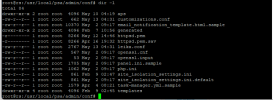
Could you please provide the content of your "/usr/local/psa/admin/conf/panel.ini" file here? There could be settings in that file that influence the display. Also once again, please be sure that you are logged in to your panel with the "admin" user name. Not as an additional admin or with a different user name. It must be "admin".
Please refer the case to Plesk Support as this needs to be examined on the server. If your license does not include support, here is an option to get support anyway:
Someone from staff also suggested to run
# plesk bin poweruser --on -simple false -lock false
as that should keep Poweruser mode as default, but still disable restricted mode. Could you try that, please?
Someone from staff also suggested to run
# plesk bin poweruser --on -simple false -lock false
as that should keep Poweruser mode as default, but still disable restricted mode. Could you try that, please?