Follow along with the video below to see how to install our site as a web app on your home screen.
Note: This feature may not be available in some browsers.
We value your experience with Plesk during 2025 Plesk strives to perform even better in 2026. To help us improve further, please answer a few questions about your experience with Plesk Obsidian 2025. Please take this short survey: https://survey.webpros.com/
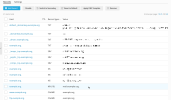
Hm... The interface to manage DNS does not look like Plesk.
If it is a different panel to manage DNS records, I recommend asking the hosting provider about the proper steps to solve the issue.
Ok, When I add the domain to the server, it shows as deactivated, and when I try to edit the record, it then shows me the following. When I click on the the option that shows me (10), and select MX, I am not sure what I should enter for the domain.
I have checked the test results one more time; it seems now you have the correct MX record (not "NullMX"). DNS servers usually cache records, which means some time may be required to update their cached data. Anyway, you can try to send a test email and see what happens (if it is not delivered, it makes sense to wait a few hours and repeat the test).