Facebook
 Twitter
Frank.P
Regular Pleskian
In plesk 11 all work OK , but now in version 12 , something go wrong.
I have an VPS Windows 2008 with Plesk 12 and Persits Software like (www.aspjpeg.com).
The Path of software is : C:\Program Files\Persits Software\AspJpg
I set the permissions :
- Everybody (FullControl)
- Administrator (FullControl)
- Users (FullControl)
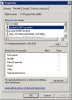
All go right, but the Plesk run micro update or check permission add this other account :
- psaadm (Deny All)
- psacln (Deny All)
And then Persits Software not work in ASP files. If I delete this permission or change to FullControl all work again, but when have a new update all permision was reset and set again Deny All.
What happend? What can I do ?
I have an VPS Windows 2008 with Plesk 12 and Persits Software like (www.aspjpeg.com).
The Path of software is : C:\Program Files\Persits Software\AspJpg
I set the permissions :
- Everybody (FullControl)
- Administrator (FullControl)
- Users (FullControl)
All go right, but the Plesk run micro update or check permission add this other account :
- psaadm (Deny All)
- psacln (Deny All)
And then Persits Software not work in ASP files. If I delete this permission or change to FullControl all work again, but when have a new update all permision was reset and set again Deny All.
What happend? What can I do ?