• We value your experience with Plesk during 2025
    Plesk strives to perform even better in 2026. To help us improve further, please answer a few questions about your experience with Plesk Obsidian 2025.
    Please take this short survey:

    https://survey.webpros.com/

Question First Timeout Backupmanager, then a white screen - HELP

SabSchap

New Pleskian
Server operating system version
VPS Ubuntu 20.04 LTS 64bit
Plesk version and microupdate number
Plesk Obsidian new Version
Hello, I set up backups every minute using a cron job. After I could no longer get to the backup manager by clicking and I got a timeout, I followed the instructions below. After that I got a white screen when trying to access the Plesk dashboard. The site is running. What can I do?
 
Try to remove this backup task from BackupsScheduled table of Plesk database. Then restart psa service.
 
I already deleted the cron job when I still had access to the Plesk dashboard. Does this also have to be deleted the way you wrote it? How do I do that?
 
Have you restarted psa service?

Find and delete record with

1. Login to psa database:

# plesk db

2. Find id of your backup task with

MariaDB [psa]> select * from BackupsScheduled\G

3. Delete this record with:

MariaDB [psa]> delete from BackupsScheduled where id=XXX;

where XXX is id of your backup task.
 
I have 3 websites. with all full backups on we. on one side, i had set up these minutely backups via cron job. I don't believe that one of the backup tasks that I see here is this cron job. Actually, I had already deleted it.

I followed this instruction after the timeout. After that came the white screen
 

Attachments

  • Plesk.png
    Plesk.png
    54.2 KB · Views: 3
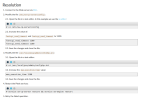
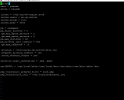
maybe something is wrong with the files?
 

Attachments

  • etc_sw-engine_pool.d_plesk.conf.png
    etc_sw-engine_pool.d_plesk.conf.png
    20.6 KB · Views: 2
  • usr_local_psa_admin_conf_php.ini.png
    usr_local_psa_admin_conf_php.ini.png
    30.4 KB · Views: 2
  • etc_sw-cp-server_config.png
    etc_sw-cp-server_config.png
    30.8 KB · Views: 2
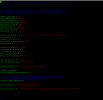
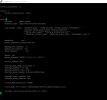
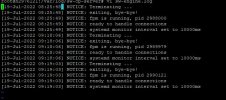
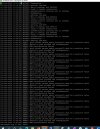
Where is a white screen? When you open the Plesk interface if I understand correctly? Are the sites working correctly? What are error messages in logs /var/log/sw-cp-server/error_log and /var/log/sw-cp-server/sw-engine.log ?
 
yes, the white screen comes up when I open Plesk, want to access the dashboard. So I don't even get the login page. The websites work correctly.
 

Attachments

  • log_sw_engine.JPG
    log_sw_engine.JPG
    52.2 KB · Views: 3
  • log_sw-cp-server_1.JPG
    log_sw-cp-server_1.JPG
    417 KB · Views: 3
  • log_sw-engine-log.1.JPG
    log_sw-engine-log.1.JPG
    218.4 KB · Views: 3
It looks like that Plesk is broken - many missing files and directories. Try to repair it with

# plesk repair installation
 
I suggest you contact Plesk Support Team. They will check and fix the issue directly on your server.

 
Back
Top