
 Facebook
 Twitter
DigitalSplendid
Regular Pleskian
- Server operating system version
- Ubuntu
- Plesk version and microupdate number
- 18.0.43
Although I have been using Migrate Guru plugin to migrate, exploring interactive feature that comes with Plesk. The first screen that I see is:
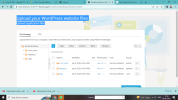
The website that I intend to migrate here can be accessed by me using Plesk Admin/FTP. Should I copy the files using FTP and upload here:
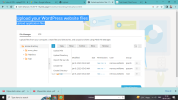
Is it necessary to remove the three default folders before that or they will remain as it is?
Any tutorial link or guidance appreciated.
Upload your WordPress website files
Upload application filesThe website that I intend to migrate here can be accessed by me using Plesk Admin/FTP. Should I copy the files using FTP and upload here:
Is it necessary to remove the three default folders before that or they will remain as it is?
Any tutorial link or guidance appreciated.


