• We value your experience with Plesk during 2025
    Plesk strives to perform even better in 2026. To help us improve further, please answer a few questions about your experience with Plesk Obsidian 2025.
    Please take this short survey:

    https://survey.webpros.com/

Internal error. ERROR: Zend_Controller_Exception: Permission denied.

A

Anthony Brian Mallgren

Guest
I've experienced this error more than once.

Is there a known fix? Has it been resolved in newer versions?
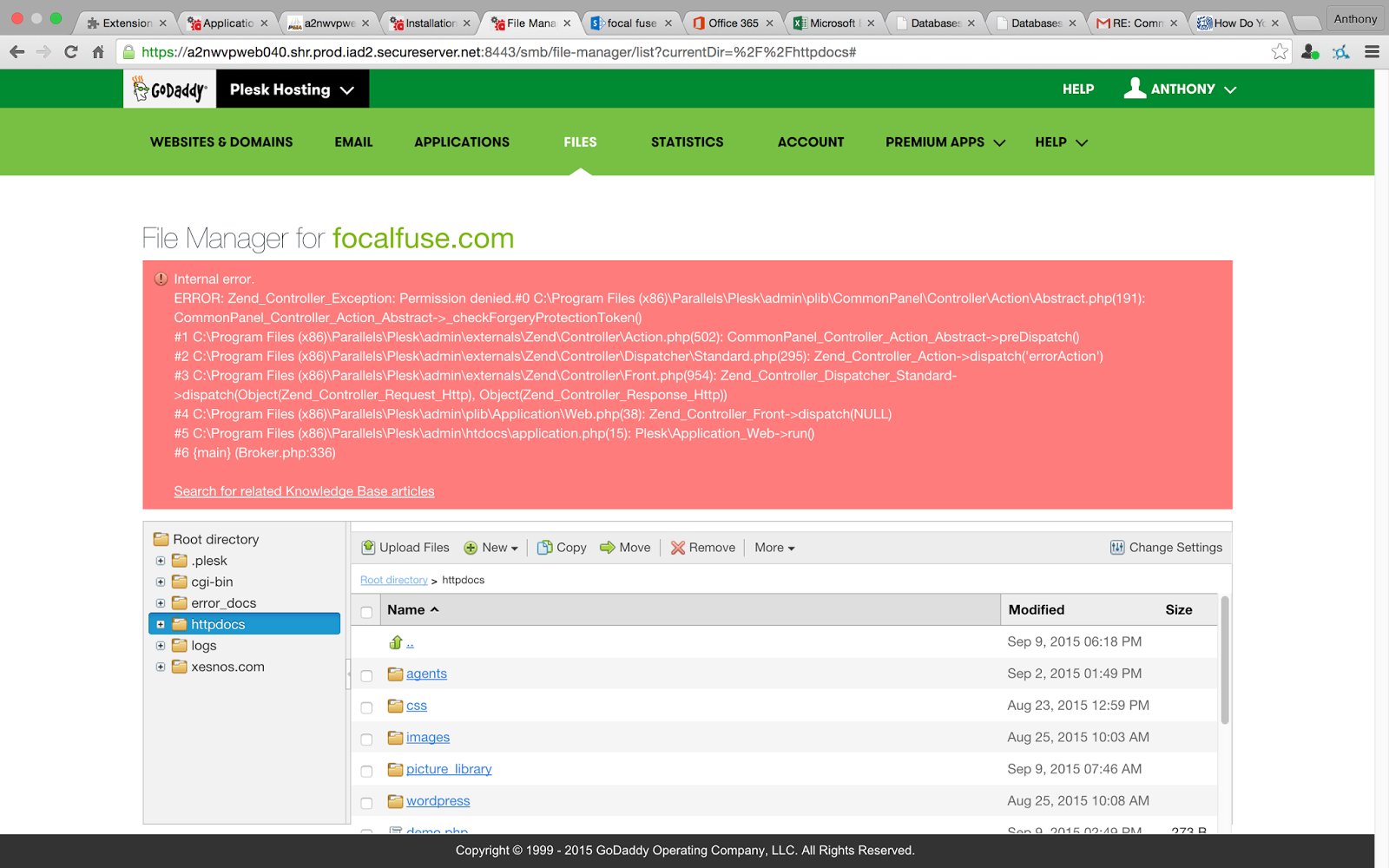
Screen%2BShot%2B2015-09-11%2Bat%2B1.27.01%2BPM.png
 
Usually means the files has the wrong type of permissions. If you have RDP access to the windows server, I would suggest running Plesk Reconfiguration and have it scan and correct the permissions to see if that resolves the issue.
 
It is intermittent, occurring more frequently now than before. Do you still believe it may be resolved by running Plesk Reconfiguration?
 
Hi Anthony Brian Mallgren,

you should check errors with the help of log - files, because with a decent log - level definition, they mostly point directly to the issue/cause/failure.


If the cause is a low limit setting for PHP, when uploading files, then you could increase post_max_size and upload_max_filesize limits at "%plesk_dir%\admin\php.ini"
 
Last edited by a moderator:
This was when attempting to save a file through the editor. It has not been occurring lately though. Disregard for now.
 
Back
Top