Follow along with the video below to see how to install our site as a web app on your home screen.
Note: This feature may not be available in some browsers.
We value your experience with Plesk during 2025 Plesk strives to perform even better in 2026. To help us improve further, please answer a few questions about your experience with Plesk Obsidian 2025. Please take this short survey: https://survey.webpros.com/
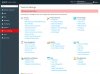
I have installed plesk migration tools, but when I click on Tools & settings > Tools & resources > Migration & Transfer Manager I get an error, a red ribbon with "ERROR: Permision Denied" on top of tools & settings page. (System: Windows Server 2012 R2 Std + Plesk 12.5.30)

 Facebook
 Twitter