• We value your experience with Plesk during 2025
    Plesk strives to perform even better in 2026. To help us improve further, please answer a few questions about your experience with Plesk Obsidian 2025.
    Please take this short survey:

    https://survey.webpros.com/

Plesk won't upgrade to 11.0.9-1

americ

New Pleskian
Hello,

We are running plesk 11.0.9 on CentOS 5.9.


The main page on the web interface says : (in french)
« Informations: Customer & Business Manager a bien été installée mais requière une configuration supplémentaire. Cliquez ici pour terminer l'installation. »
When clicking on the link, we get stuck on a page :
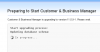
Capture du 2013-05-06 16:51:55.png

Waiting a full day didn't solve this.
What should we do to end the upgrade ?

Best regards,

A.Méric

ps: We were trying to get the auto-response mail utility back for mail (not plesk) users.
 
Any related error messages in /tmp/autoinstaller3.log ?
 
There are the last lines of /tmp/autoinstaller3.log


Détection des composants de produits installés en cours.
(update package names cache) Component plesk/base: mode up2date, installed_buildtime=1364803264, available_buildtime=1364803264
Component plesk/base have no older version, so keyupdate not needed
Component plesk/psa-autoinstaller: mode up2date, installed_buildtime=1353304007, available_buildtime=1353304007
... (lot of components) ...
Component plesk/horde: mode up2date, installed_buildtime=1352877707, available_buildtime=1352877707
Component plesk/atmail: mode up2date, installed_buildtime=1352877526, available_buildtime=1352877526
DEBUG: web server PID=31035 was stopped.
FileFetcher: get file (~empty)/PSA_11.0.9/plesk-11.0.9-cos5-i386.inf3
FileFetcher: get file (~empty)/SITEBUILDER_11.0.10/sitebuilder-11.0.10-rhall-all.inf3
FileFetcher: get file (~empty)/BILLING_11.0.9/billing-11.0.9-rhall-all.inf3
FileFetcher: get file (~empty)/MYSQL_5.5/mysql-5.5-rhel5-i386.inf3
FileFetcher: get file (~empty)/APACHE_2.2.22/apache-2.2.22-rh5-i386.inf3
FileFetcher: get file (~empty)/NGINX_1.3.0/nginx-1.3.0-cos5-i386.inf3
Le Programme d'installation de Parallels a été fermé à cause d'une longue période d'inactivité. ( ~ parallels installation program has been closed due to prolonged inactivity)


grep -i error /tmp/autoinstaller3.log :

Error: Vous disposez déjà de la dernière version du ou des produits et tous les composants sélectionnés (~ everything is up to date)
Error: Vous disposez déjà de la dernière version du ou des produits et tous les composants sélectionnés


grep -i warning /tmp/autoinstaller3.log | sort | uniq

Warning: ez_template_suffix is NOT defined in APACHE_2.2.22/apache-2.2.22-rh5-i386.inf3
Warning: ez_template_suffix is NOT defined in BILLING_11.0.9/billing-11.0.9-rhall-all.inf3
Warning: ez_template_suffix is NOT defined in MYSQL_5.5/mysql-5.5-rhel5-i386.inf3
Warning: ez_template_suffix is NOT defined in NGINX_1.3.0/nginx-1.3.0-cos5-i386.inf3
Warning: ez_template_suffix is NOT defined in PSA_11.0.9/plesk-11.0.9-cos5-i386.inf3
Warning: ez_template_suffix is NOT defined in SITEBUILDER_11.0.10/sitebuilder-11.0.10-rhall-all.inf3
Warning: Locale fr_FR is not supported, used en_US.


Earlier, we get information messages such as :
Capture du 2013-05-03 16:50:28.png

Thank you for your time.
 
Warning: Locale fr_FR is not supported, used en_US.
Suspicious message. I suggest you switch system locale to en_US, reboot server and start update procedure again in CLI with /usr/local/psa/admin/sbin/autoinstaller utility.
 
Additional information :
On the login page, below the message «Informations: Customer & Business Manager a bien été installée mais requière une configuration supplémentaire. Cliquez ici pour terminer l'installation.»

We can found this one :
« Attention: Vous avez connecté ce serveur au Customer & Business Manager, mais la connexion a été endommagée. Cela a pu se produire car l'une des applications a été mise à niveau séparément ou parce qu'une restauration d'un serveur complet a été exécutée. Veuillez vous connecter au Customer & Business Manager et réparez la connexion à ce serveur. Toutes les opérations commerciales dans le panel sont actuellement désactivées. »

(warning, you've connected this server to the Customer & Business Manager, but the connexion have been brokenµ. It may happen if an application have been upgraded separately or because a full server restoration have been executed. Please login on the Customer & Business Manager and repair the connexion to this server.)


We didn't manage to change the server locale globally, an
«export LANG=en_US.UTF-8» work only for a session,
Code:
$ cat /etc/sysconfig/i18n 
LANG=en_US
SYSFONT="latarcyrheb-sun16"
and rebooting didn't change the locale, it is still "fr_FR.UTF-8" when login on a new shell.


Also, /usr/local/psa/admin/sbin/autoinstaller warn to backup before upgrading.
Due to disk space restrictions, it would be quicker an easier for us not to do a backup now, is the upgrade really harmful ?


Best regards,

A.Meric
 
Back
Top