Follow along with the video below to see how to install our site as a web app on your home screen.
Note: This feature may not be available in some browsers.
We value your experience with Plesk during 2025 Plesk strives to perform even better in 2026. To help us improve further, please answer a few questions about your experience with Plesk Obsidian 2025. Please take this short survey: https://survey.webpros.com/
I don't find in Plesk Obsidian Panel a simple way to upload-delete files in my vps server httpdocs directory or node js apps,for example.I'm very noob for create my own ftp server(i try it ,but.......).There is any extension to install or any simple way to do it?.Thanks.
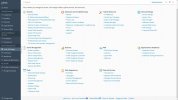
If I found something with that name, I wouldn't ask in the forum. Is it an extension? Where is it? Attached image of plesk tools & settings menu(instaled by my vps provider )
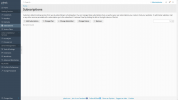
The "File Manager" is a feature of subscriptions (or domains). If there are no subscriptions, there is no file manager function. The admin does not have a separate file manager. Normally admins don't use file managers anyway, but more practical solutions like FTP or SSH.
ok,as i said ,i tried to install ftp server and only give a lost day and a headache.This is definitely too much for me, I'll switch to hosting, which is what I should have done.Thanks.
ProFTP should be a component that comes with Plesk and can bei auto-installed from the Plesk installation manager. There should not be any need to configure anything separately. It works out of the box with Plesk installations. Maybe you want to give that a try?
I was finally able to install vsftpd ftp server ,made changes to the file etc/vsftpd.conf , allow acces to local users and connect by sftp.
Thanks for your help.